Build an SEO Agent with MCP in Minutes
CitationBench's hosted MCP server gives you ~35 SEO and GEO tools via one endpoint. Build an SEO agent with MCP for any client without months of integration work.
# Add CitationBench to your MCP client> claude mcp add citationbench --url https://mcp.citationbench.com/mcp✓ Connected · 35 tools available# Run keyword research from your agentresearch.keyword.research> { "seed": "seo automation tools", "limit": 20, "label": true }{ "keywords": [{ "kw": "seo agent api", "intent": "COMMERCIAL", "relevance": "CORE" }, ...# Bootstrap a new client brandagent.invoke> { "agent": "brand-bootstrap", "input": { "url": "https://clientbrand.com" } }job_id: job_3mq7r · status: running · awaiting_approvalBuilding from Scratch Costs Months
Stitching raw APIs together for every SEO capability delays your agent and leaves clients waiting.
Months of integration debt
Connecting keyword research, content, indexing, and rank tracking APIs separately takes months before a single agent ships.
No purpose-built SEO tooling for MCP
Generic MCP servers lack SEO-specific tools — no SERP analysis, no AI citation tracking, no link-building pipeline.
Fire-and-forget agents fail silently
LLM calls without durable job infrastructure crash on restarts, with no approval gates or audit trail for clients.
The fix
One Hosted MCP Server. Every SEO Tool.
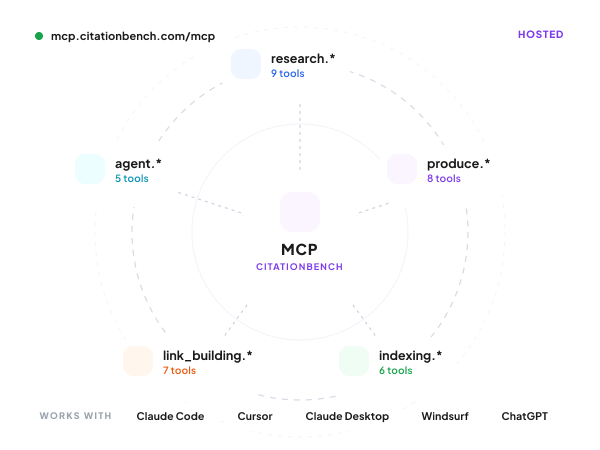
CitationBench's hosted MCP server at mcp.citationbench.com/mcp exposes ~35 tools across research, production, distribution, and agents namespaces — callable today from Claude Code, Cursor, Windsurf, and custom MCP clients with no self-hosting required.
Every Tool Your SEO Agent Needs
Five feature areas that cover the full SEO and GEO workflow — all accessible as MCP tools or REST endpoints from your agent.
MCP Infrastructure
Hosted MCP Server for SEO Agents
Connect once at mcp.citationbench.com/mcp and get ~35 namespaced tools — research.*, produce.*, indexing.*, link_building.*, agent.* — no self-hosting, no glue code.
- 35 tools, one connection
- Works with Claude Code and Cursor
- No self-hosting required

Agent Orchestration
Invoke Full SEO Workflows via MCP
POST /v1/agent/invoke or call agent.invoke from your MCP client to run named agents with structured input, real-time SSE streaming, and approval-gated pauses — not fire-and-forget.
- Multi-turn agent continuation
- Real-time SSE event streaming
- Approval gates at any step
Research Tools
Keyword Research Directly in Your Agent
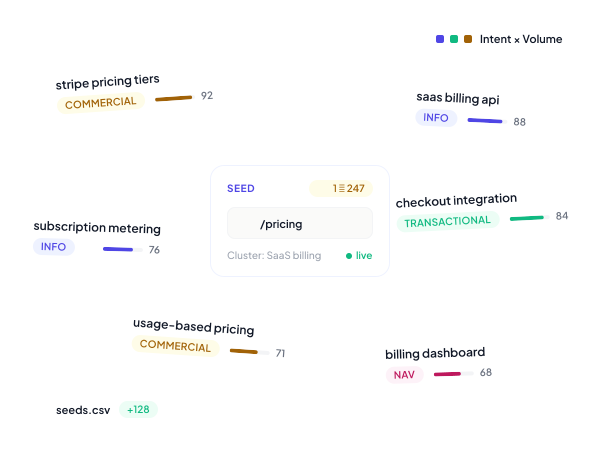
Call research.keyword.research from any MCP client to discover, cluster, and label keyword sets with 2D intent × relevance scoring. Results persist for downstream production steps.
- 2D intent and relevance labeling
- Seed URL or keyword list input
- Persisted for downstream agents
Job Reliability
Durable Jobs That Survive Restarts
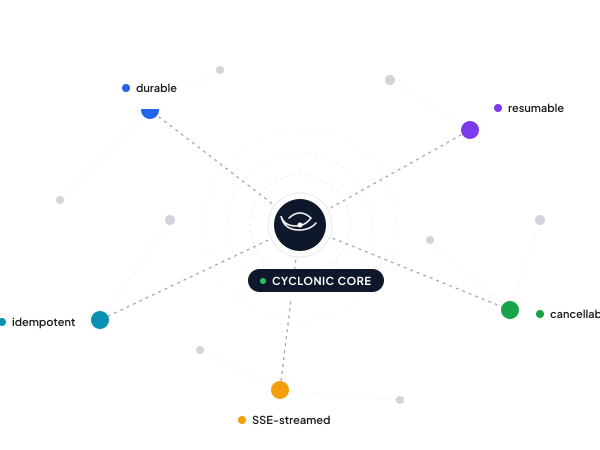
Every agent job is backed by Cyclonic workers — resumable, cancellable, and streamable. Cancel via agent.invocations.cancel, resume via agent.invocations.continue. Nothing is lost on failure.
- Survives server restarts
- Cancellable and resumable
- Full invocation audit log
Agency Architecture
Multi-Client Workspaces from One API Key
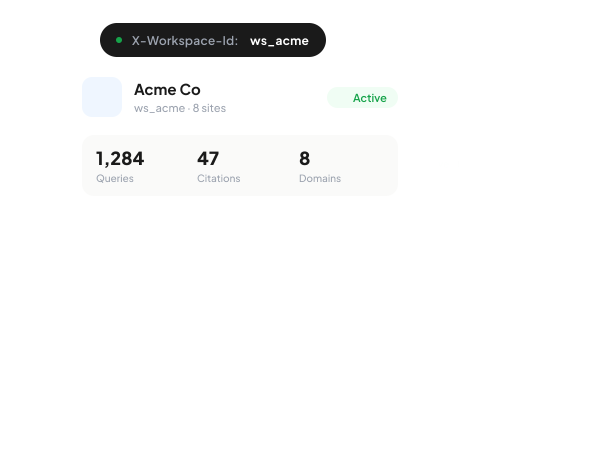
Scope all MCP tool calls per client via the X-Workspace-Id header. One master key manages N client workspaces with full data isolation — rank tracking, content, and campaigns all separated.
- X-Workspace-Id header scoping
- N workspaces per API key
- White-label-ready isolation
How it works
From sign-up to first call in five minutes.
Sign up and get your key
An `sk_test_*` key lands in your dashboard instantly. No demo gate — start calling real endpoints with shape-complete responses.
Add the MCP server or hit REST
`claude mcp add citationbench https://mcp.citationbench.com/mcp` from Claude Code, Cursor, or any MCP client. Or `curl` against `api.citationbench.com/v1/*` directly.
Run a tool or invoke an agent
Every tool returns shape-complete demo data without auth, so your agent works before the user signs up. Tools across research, production, indexing, link-building, and agents.
Scope to a workspace and ship
Add `X-Workspace-Id: ws_***` to scope per client. Switch to a live `sk_live_*` key when you're ready. Same API surface, same SDK.
Why CitationBench
Built for production, agency-scale, and AI-agent-first.
~35 tools, one MCP server
Hosted at mcp.citationbench.com/mcp. Works with Claude Code, Cursor, Claude Desktop, Windsurf, and ChatGPT Apps. No self-hosting required.
Durable jobs, not fire-and-forget
Every long-running call runs on Cyclonic workers — survives restarts, cancellable, resumable, streams via SSE. Production-safe by default.
Multi-workspace from day one
One master API key, N client workspaces. Switch with a single `X-Workspace-Id` header. Per-client data isolation, bulk ops across all of them.
Demo mode out of the box
Every endpoint responds in shape-complete demo mode without auth, so you can build the agent before the user signs up.
FAQ
Common questions
Build Your SEO Agent with MCP Today
Connect to CitationBench's hosted MCP server and get ~35 SEO tools in your agent without writing integration code.
View MCP Docs